
12 MiniBattles Unblocked — Play Free Online
More Fighting games


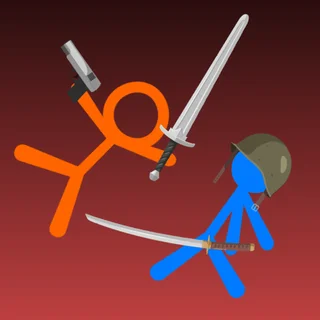


12 MiniBattles unblocked: play 12 MiniBattles online free right here in your browser — no download, no sign-up, works on a school Chromebook.
12 MiniBattles is a chaotic local multiplayer party game built entirely around snappy, single-button competition. Developed by Shared Dreams, the game pits two players against each other across a rotating gauntlet of fast-paced physics duels. Whether you are trading sniper fire from across a rooftop, timing an axe throw, or wrestling inside a shrinking ring, every contest comes down to a single keypress executed at the exact right fraction of a second.
What makes the game such a fun companion to fighting games on Stickman Dragon Fight is its stripped-down purity. Rather than memorizing long combo strings or complex control schemes, both players share one keyboard and rely on pure reflex, positioning, and psychological mind games. A single round can flip in half a second, making it ideal for quick rivalries and rematches between friends.
How to play
Each player operates using just one primary action button. When playing on a single keyboard, Player 1 taps the A key while Player 2 taps the L key. On mobile or touch-enabled screens, each player uses their own dedicated side of the display. Single players can also jump in to compete against an AI opponent.
The game cycles randomly through twelve distinct mini-games. The rules change dynamically from one duel to the next:
- Shooting duels: Tap to raise your weapon arm and release at the right angle to fire bullets, arrows, or cannonballs before your opponent strikes.
- Sports face-offs: Time your jumps, kicks, and swings in stripped-down versions of soccer, golf, and volleyball.
- Vehicular combat: Steer tanks or airplanes whose movement rotates continuously, pressing your button to charge forward or loose a salvo.
- Melee brawls: Swing swords, swing maces, or push your rival off precarious ledges in physics-driven sumo wrestling matches.
Every mini-game win awards one point. The first player to reach the match score target claims ultimate victory.
Tips for winning duels
- Wait for the ideal firing arc: In projectile mini-games like archery and axe throwing, your character's arm rotates automatically. Rushing your shot often sends weapons harmlessly into the floor or sky. Wait until the trajectory lines up with your opponent before releasing.
- Do not spam your key blindly: Many games impose a brief recovery animation or recoil delay after an action. If you fire and miss, you leave yourself wide open while your opponent lines up an easy return strike.
- Use recoil and physics momentum: In aerial dogfights and rooftop gunfights, the recoil from your shots shifts your position. Use that backward push to dodge incoming fire or gain high ground.
- Play the opponent, not just the screen: Because you are sitting side by side on one keyboard, watching your rival's rhythm and baiting them into premature button presses is often more effective than raw reaction speed.
Similar games on Stickman Dragon Fight
If you enjoy the bite-sized combat and local rivalry of 12 MiniBattles, check out other party brawlers on the site. Thumb Fighter offers similarly intense, single-button thumb-war duels where timing your pin is everything. For physics-heavy acrobatics and ragdoll knockouts, Stickman Fight: Ragdoll delivers unpredictable arena fights, while Double Edged provides classic side-scrolling cooperative action for players who want to team up rather than fight each other.
12 MiniBattles runs smoothly in any modern web browser without downloads or sign-ups, making it a perfect quick-play challenge whenever you want instant two-player arcade action.
Questions about 12 MiniBattles
Is 12 MiniBattles unblocked at school?
12 MiniBattles runs in an ordinary browser tab from stickmandragonfight.com, with nothing to download or install, so it plays on most school Chromebooks and work computers. If a network filter blocks the site, only that network's administrator can change it.
Can I play 12 MiniBattles by myself?
Yes. While the game shines as a local two-player duel, you can also practice against a computer-controlled opponent in single-player mode.
What are the controls for each player in 12 MiniBattles?
Player 1 uses the A key and Player 2 uses the L key on a shared keyboard. On touchscreen devices, each player taps their dedicated on-screen button.
How many different mini-games are included?
The collection includes twelve distinct physics-based mini-games, ranging from sniper shootouts and soccer penalty kicks to tank battles and sword fights.
Do I need to install anything to play 12 MiniBattles?
No installation or account is required. The game runs directly in any modern desktop or mobile web browser.
More games
 Thumb Fighter
 Iron Snout
 Double Edged
 Sumo Party
 Bearsus
 Raft Wars
 Tunnel Rush
 Basket Random
 A Small World Cup
 A Small World Cup 2
 Basketball Legends
 Monkey Mart
 Cookie Clicker
 World's Hardest Game
 Spider Solitaire
 Bloxorz
 Elastic Face
 Stickman Battle
 Stickman War
 Stickman Crazy Box
 Stickman Race
 Stick Fighter
 Big Tall Small
 Stickman Climb 3d
 Stickman Archers Waves 9033258f
 Stickman Golf
 Stickman Hook